Guide · Premier
Premier on match day
The basics are the same as any match — start the clock, log goals, end the half. This covers the controls that only work on a Premier team, and what else the subscription puts in your hands.
Nothing to switch on
Premier belongs to the team, not to you. If the team is on Premier, every one of these is already live for anyone tracking the match — there is no setting to find and nothing to buy yourself. You still need the Match Operator badge to run the match at all; that part is unchanged.
Before kick-off: build the lineup
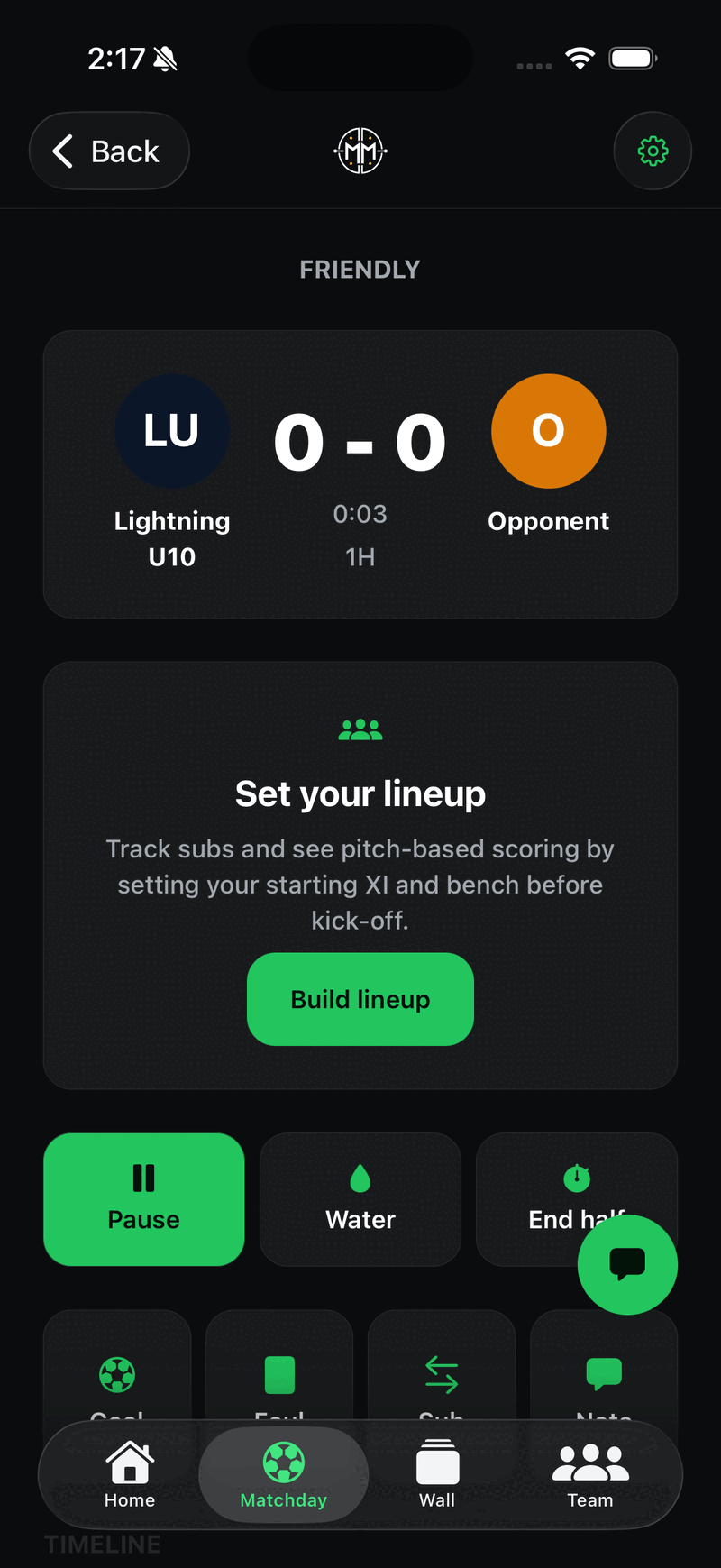
On a Premier team the tracker opens with a Set your lineup card above the buttons. Setting a starting XI and a bench before kick-off is what makes substitutions and playing-time tracking work — skip it and the Sub button still logs, but it has no one to move.
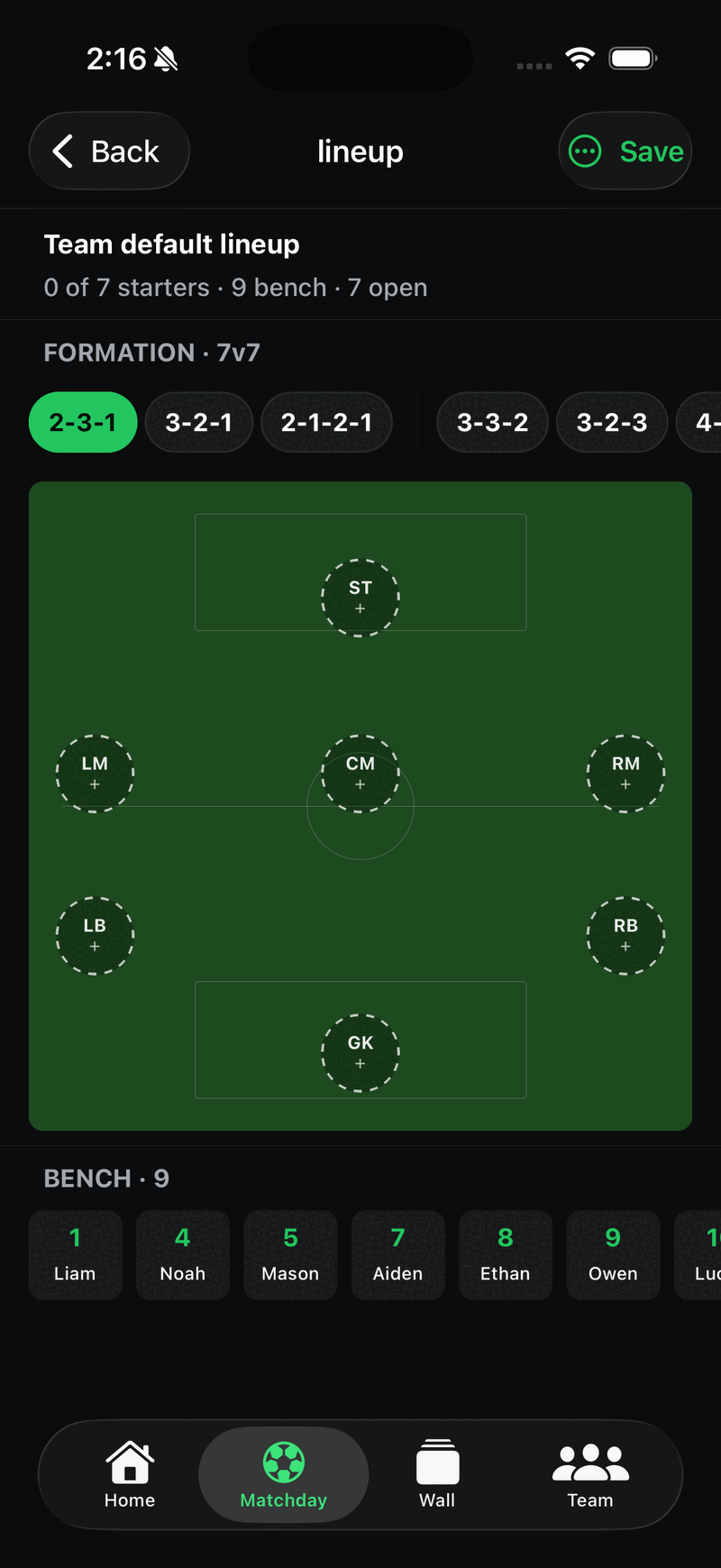
Pick a formation for your match format, fill the pitch from the bench, and Save. Worth doing in the car, not at the whistle.
One practical consequence: the lineup card pushes the match controls further down the screen, so Start, Goal and Foul sit lower than they do on a free team.
The controls Premier unlocks
On a free team these look identical to the ones that work, and tapping one opens the subscription screen. On Premier they simply open.
FoulCards
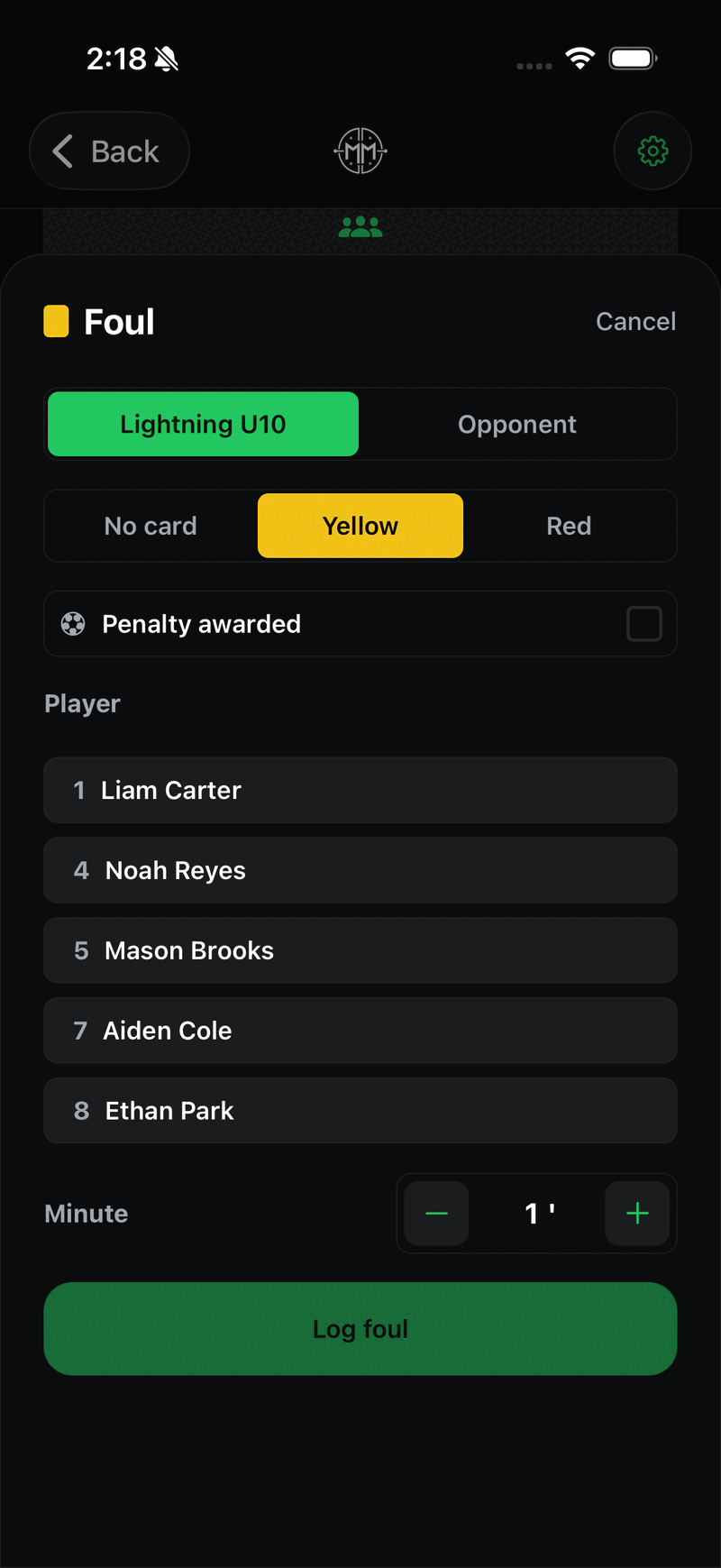
Pick the side, choose No card, Yellow or Red, then tap the player who committed it. There is also a Penalty awarded checkbox — tick it and the tracker offers a penalty-kick button afterwards so you can record whether it went in.
Worth knowing at the whistle: Log foul stays greyed out until you pick a player. If the button looks dead, that is why.
SubPlaying time
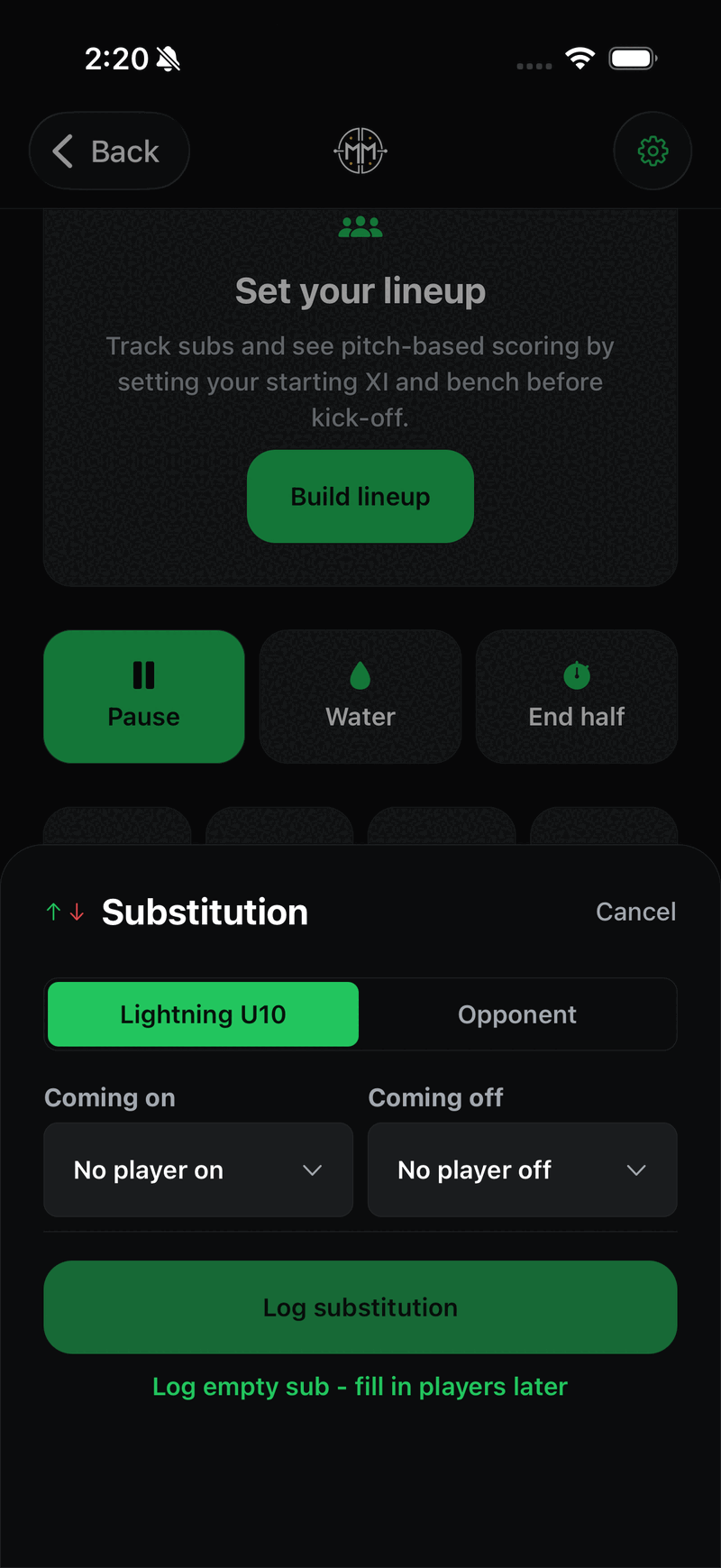
Choose who is coming on and who is coming off. This is what feeds each player's minutes, so parents asking how long their child played get a real answer.
The line that saves you on a busy touchline: Log empty sub — fill in players later. Tap it when three swaps happen at once and sort out the names after the game, rather than missing the next play.
WaterStoppage
One tap, no sheet — it drops a water break into the timeline. The clock keeps running through it by design; added time absorbs the pause. Do not tap Pause as well unless the referee actually stopped the clock.
AssistsOn the goal sheet
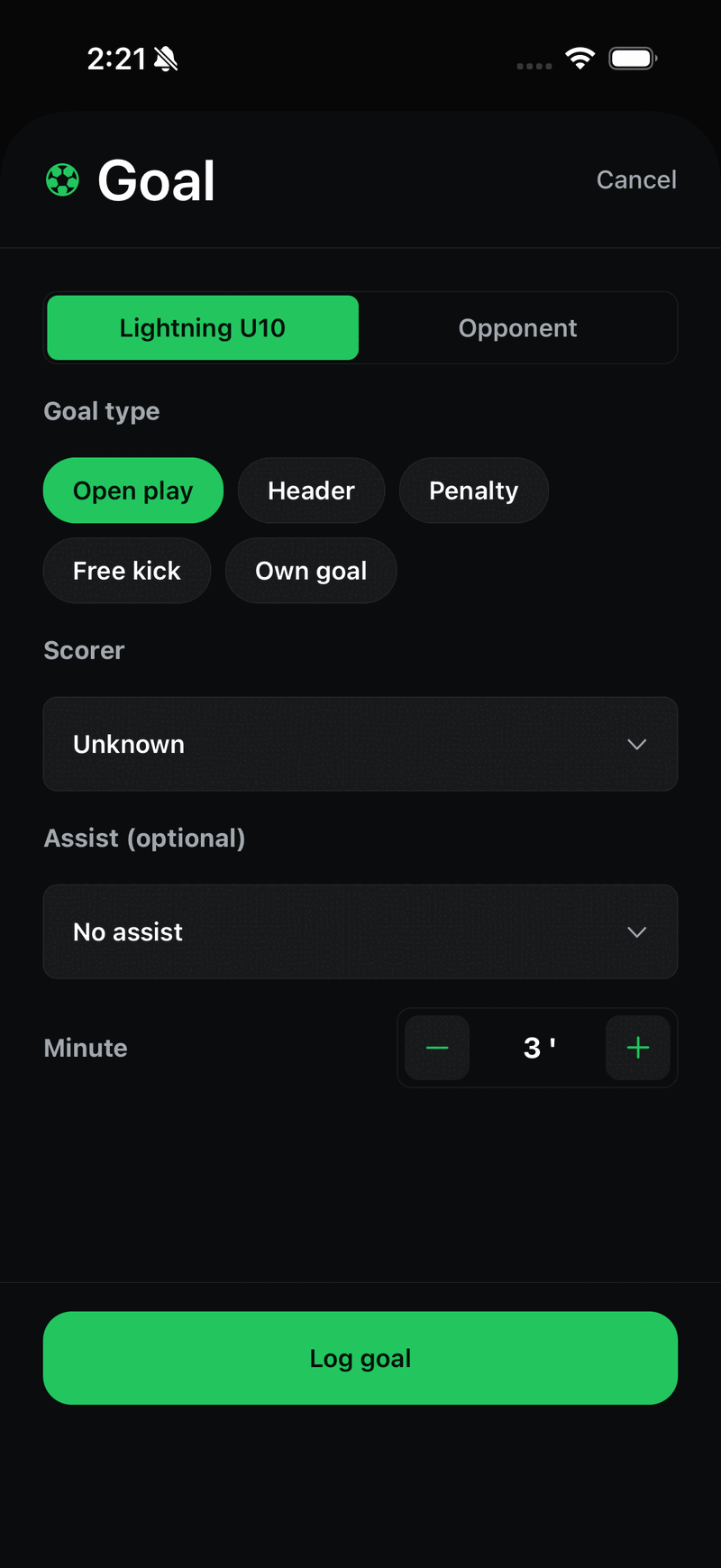
The goal sheet gains an Assist (optional) picker under the scorer. It is optional in the real sense — leave it on No assist when you did not see it clearly. A wrong assist is worse than no assist, because it goes into that player's season record.
Edit timelineAfter the whistle
Undo last event works on any team, but Premier adds full timeline editing: long-press any entry to change or remove it, or tap Edit timeline under the list. A mis-tapped card or a goal credited to the wrong player is fixable after full time — you do not have to get it perfect live.
What else the team gets
- Season stats and leaderboards — goals, assists and records per player, built from exactly what you log on the sideline.
- Match formats — 3v3 through 11v11, set per match. This drives which formations the lineup builder offers.
- Calendar sync — subscribe to the schedule in your phone's calendar app; export schedules and stats.
- Coach Hub — lineups, upcoming games and player claims in one screen.
- Carpools — a ride board on each match, so families can coordinate lifts to away games.
- Bigger rosters, more teams — no 18-player cap, and up to five teams under one account.
High-school teams get one extra control — an Injury button, which appears only while the clock is running. It does not show on club teams, so do not go looking for it there.
The basics: getting the operator badge, starting the clock, and fixing mistakes.